
Expense Ledger v2.3 for OpenCart 3.x
Expense Ledger is a comprehensive and powerful OpenCart 3.X extension designed to help you meticulously track, manage, and analyze your business expenses directly within your admin panel. Move beyond messy spreadsheets and gain clear, actionable insights into your spending with an integrated suite of tools including multi-file receipt management, advanced reporting, visual statistics, and robust import/export capabilities.
This extension provides a dedicated and seamless interface to record every business expense, from office supplies and software subscriptions to travel and client engagement costs. With its intuitive design and powerful features, Expense Ledger Pro is the definitive tool for any OpenCart store owner serious about financial management and operational efficiency.
Features
Core Expense Management
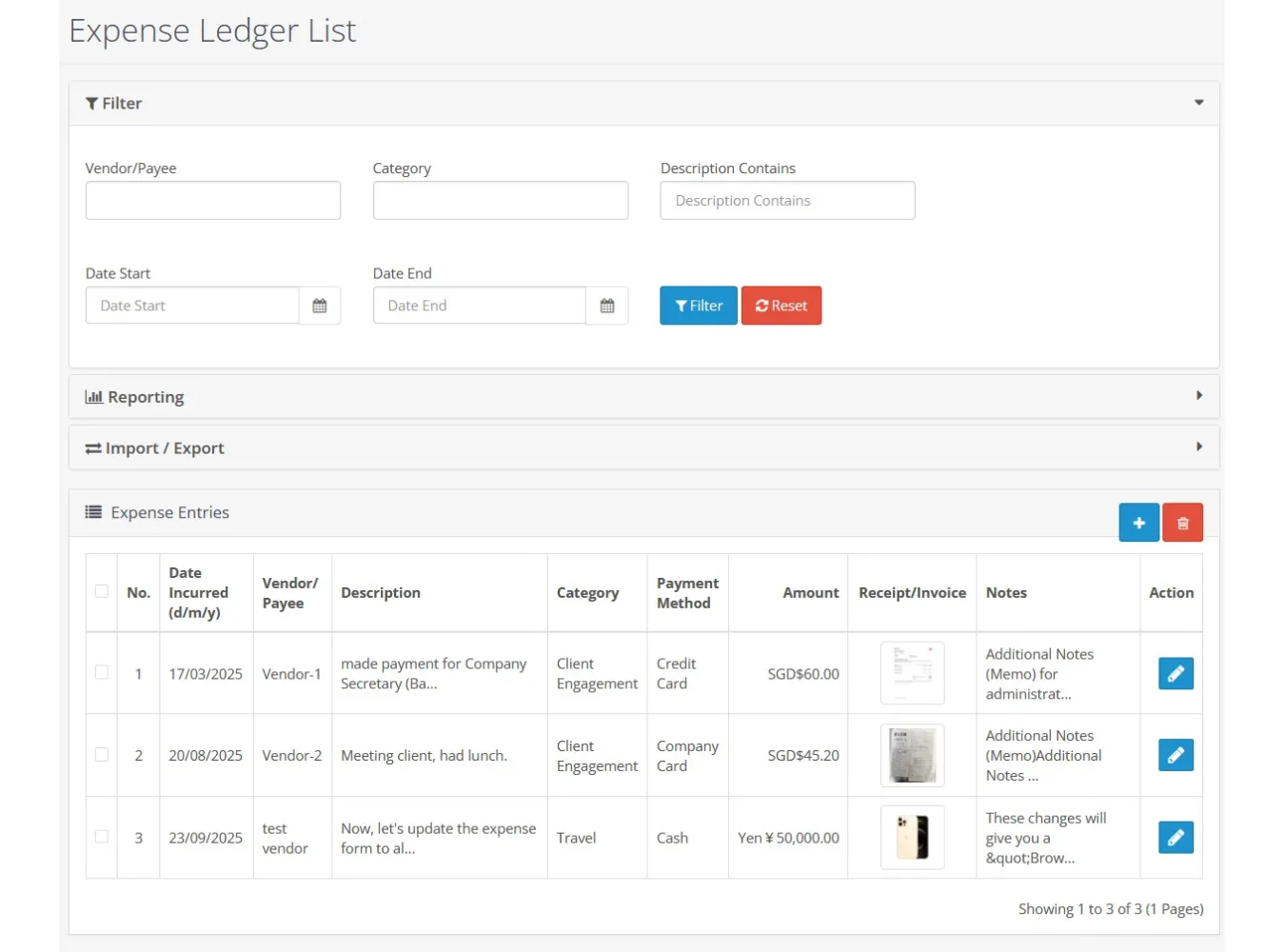
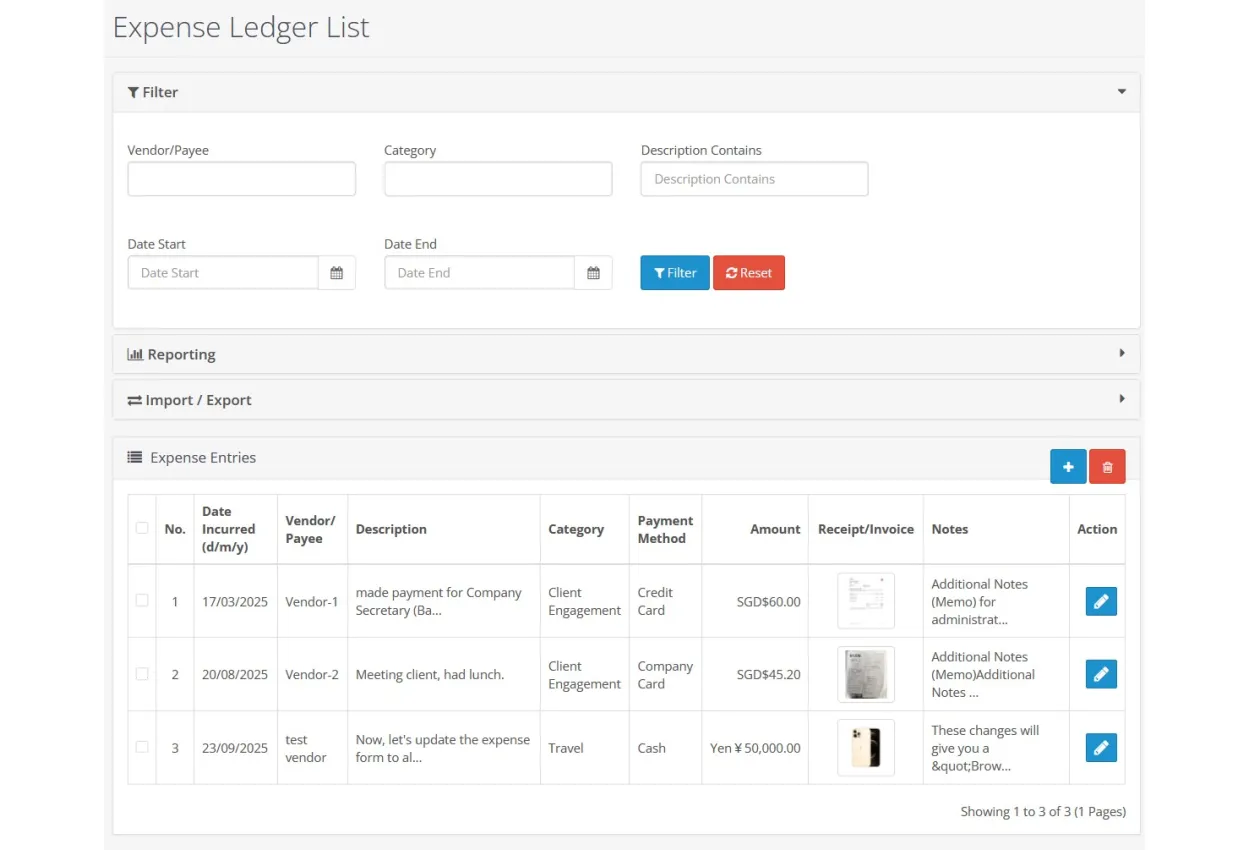
Centralized Expense Dashboard: A filterable and paginated list of all your expense entries.
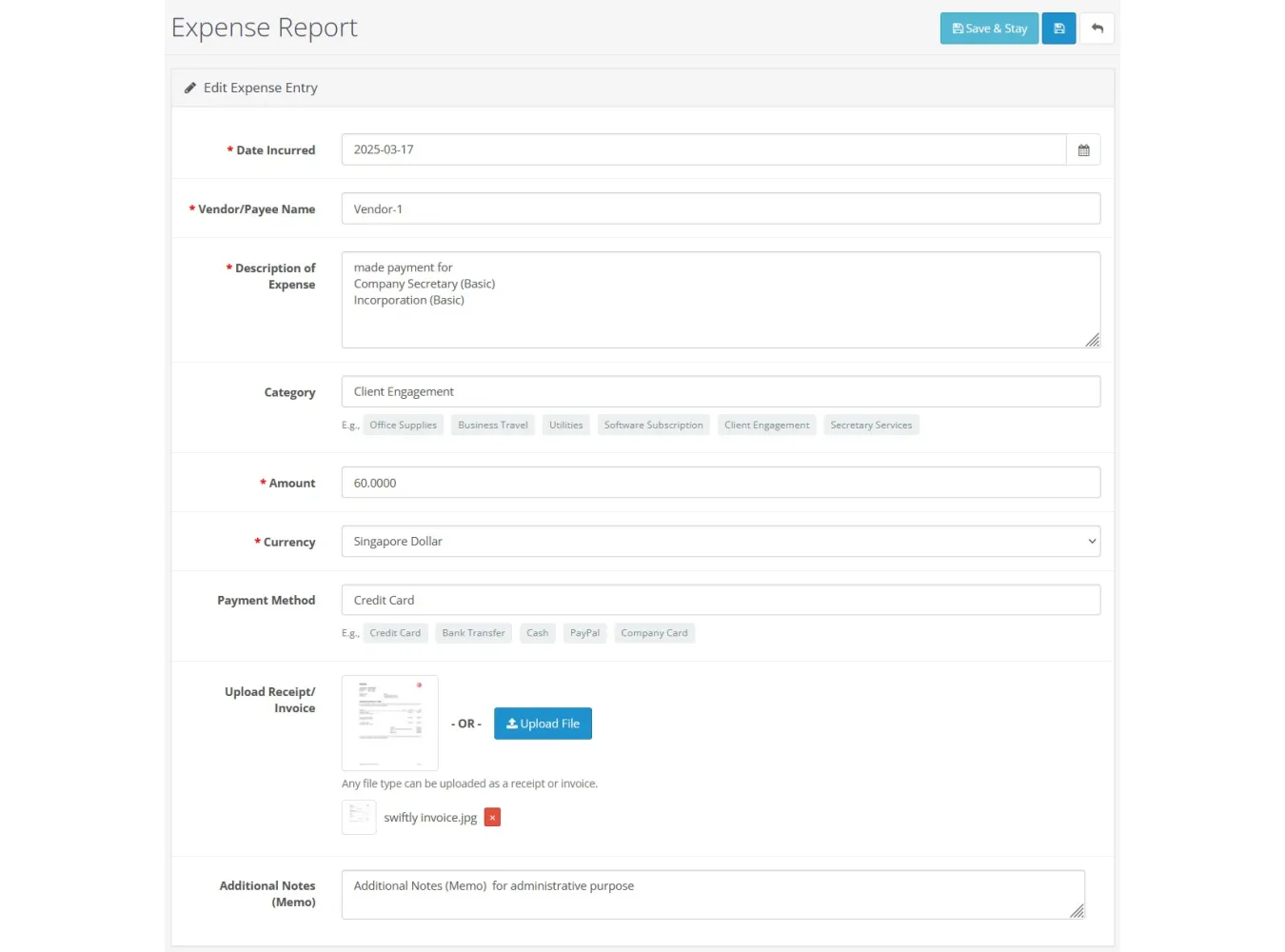
Detailed Expense Forms: Record crucial details including date, vendor/payee, description, category, amount, currency, payment method, and notes.
"Save & Stay" Functionality: Quickly add or edit multiple entries without leaving the form page.
Autocomplete Suggestions: Speeds up data entry by suggesting previously used vendors and categories.
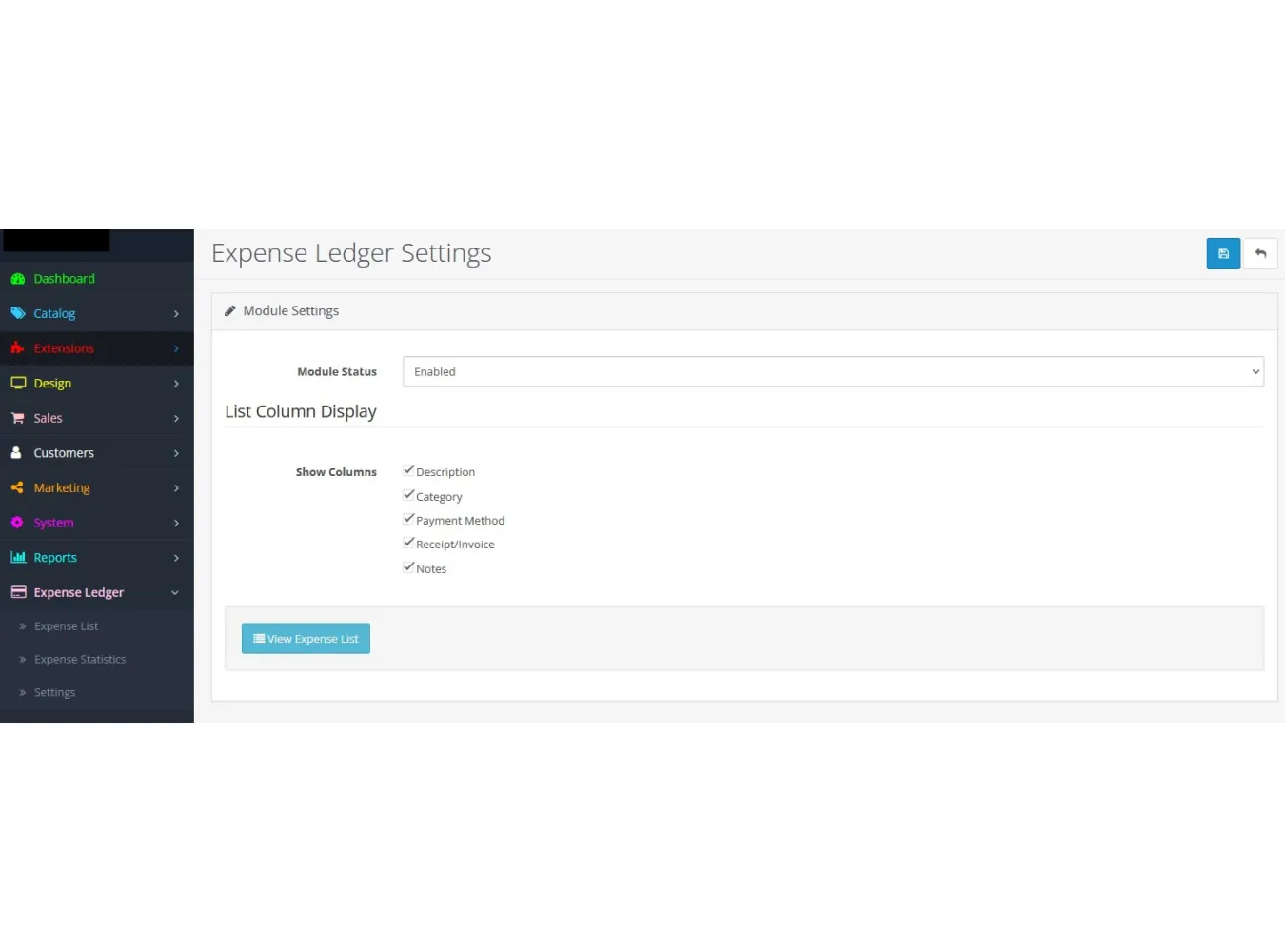
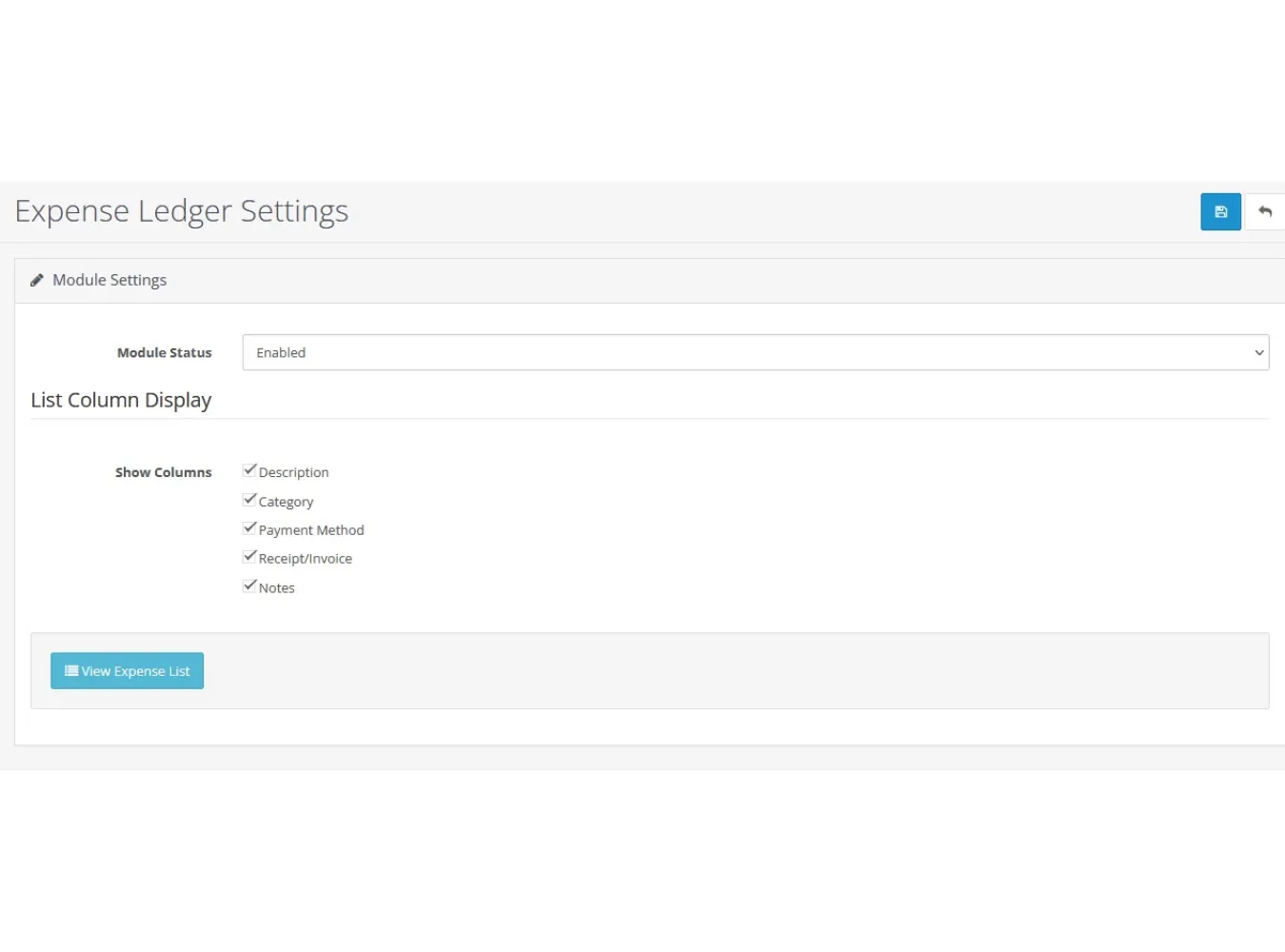
Configurable List View: Customize the expense list by showing or hiding columns (Description, Category, Payment Method, Receipt, Notes) to suit your workflow.
Advanced Receipt Handling
Multi-File Uploads: Attach multiple receipt files to a single expense entry.
Flexible Upload Options: Upload files directly from your computer or select existing images from the OpenCart File Manager.
Universal File Type Support: Upload any file type as a receipt or invoice (images, PDFs, documents, spreadsheets, etc.).
Intelligent Previews: The system displays image thumbnails and file-type-specific icons (PDF, Word, Excel, ZIP, etc.) for easy identification.
Secure File Access: Preview and download attached files directly and securely from the expense list or form.
Powerful Data Tools
Advanced Filtering: Easily search and find expenses by vendor, category, description content, and date range.
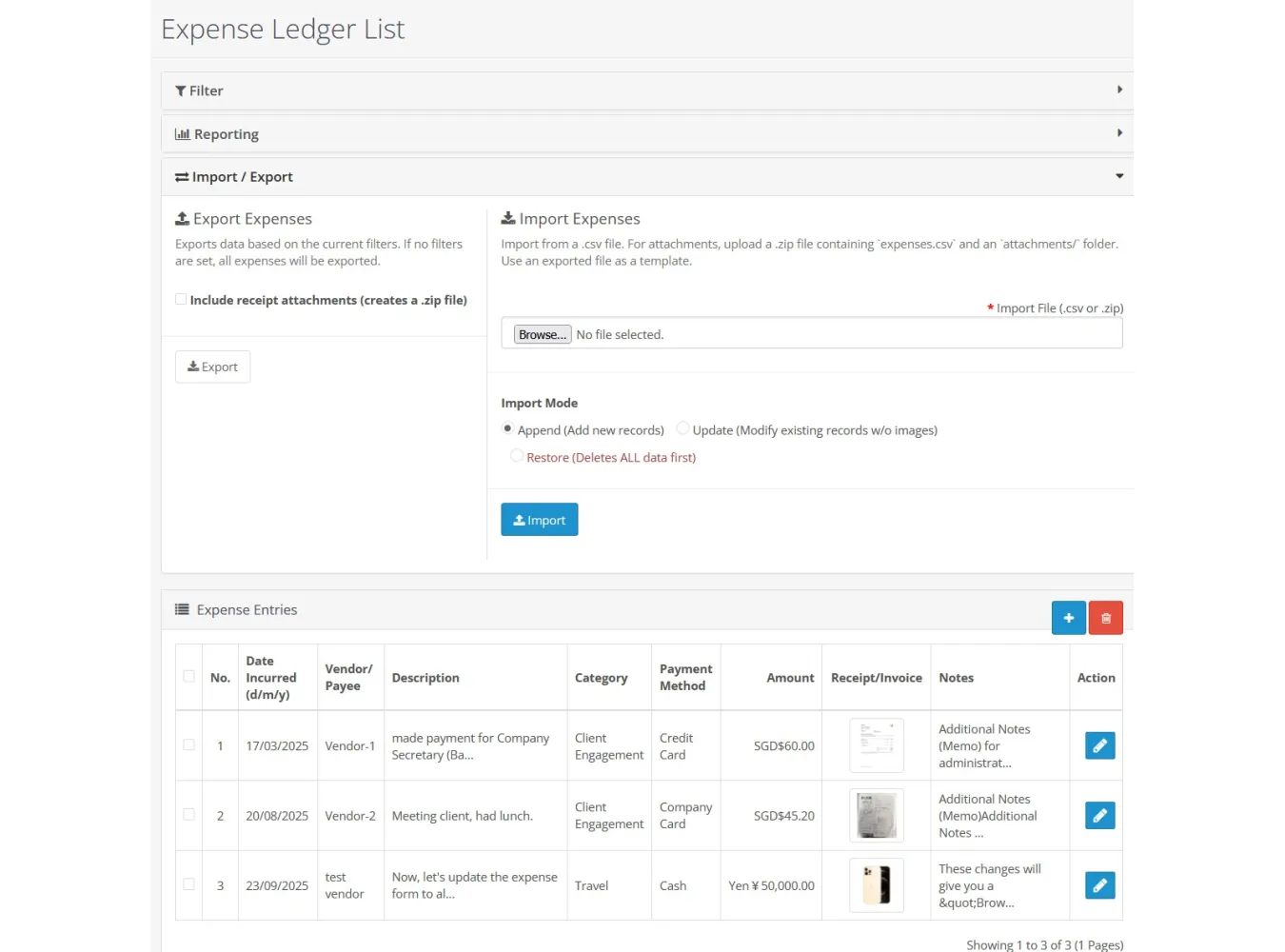
Robust Import/Export System:
Export to CSV or ZIP: Export filtered or all expenses. The ZIP option conveniently packages a CSV file along with all associated receipt attachments.
Flexible Import: Import data from a CSV or a ZIP archive.
Multiple Import Modes:
Append: Add new records and intelligently skip potential duplicates.
Update: Modify existing records by ID, with the ability to merge new attachments with existing ones.
Restore: Completely wipe all existing expense data and replace it with the import file's contents.
Reporting & Statistics
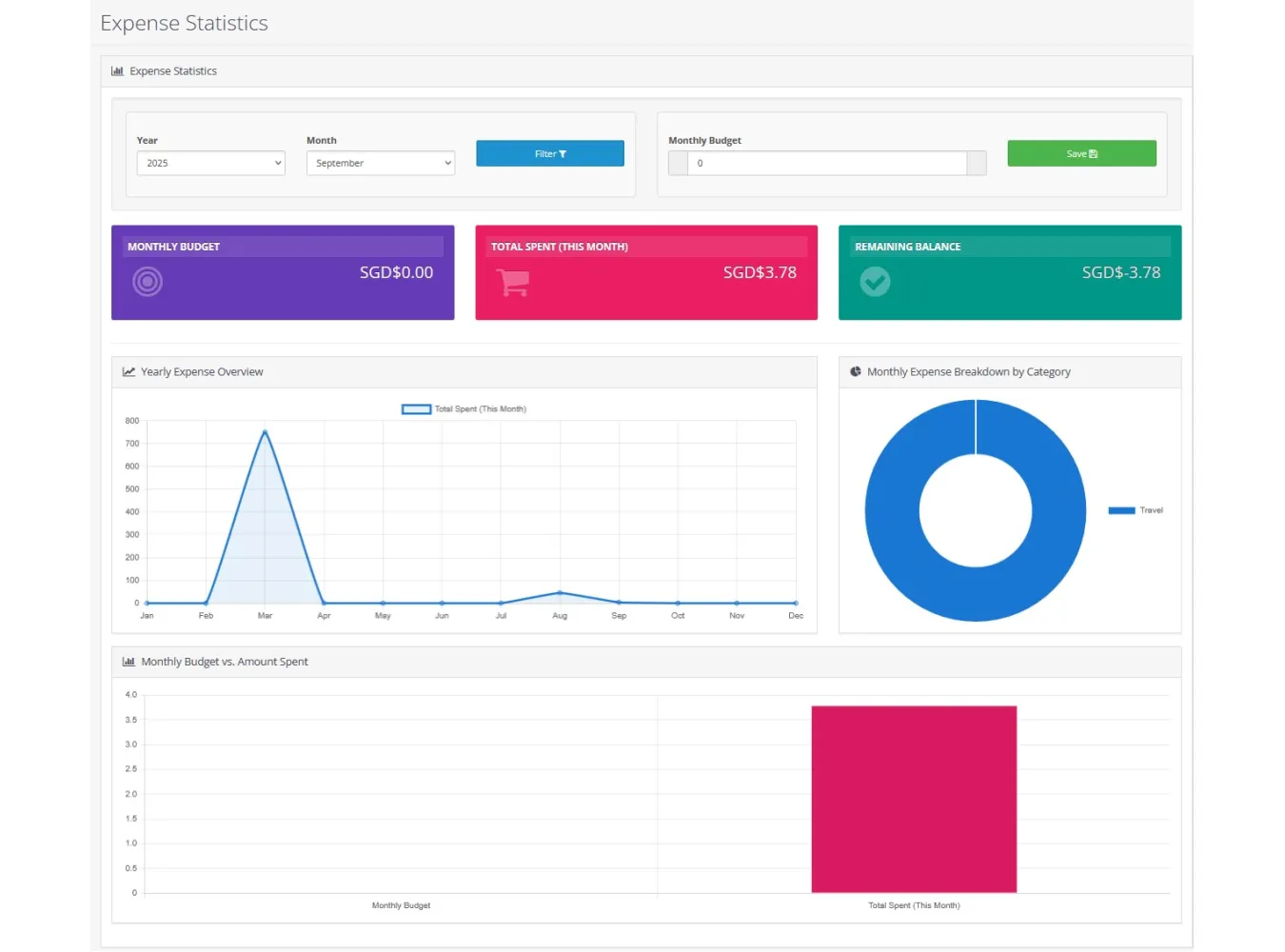
Visual Statistics Dashboard: A dedicated page with interactive charts to visualize your financial data.
Monthly Budgeting: Set a monthly budget and track your spending against it.
Insightful Summary Tiles: At-a-glance view of your monthly budget, total spent, and remaining balance.
Interactive Charts:
Yearly Expense Overview (Line Chart): Track spending trends across the selected year.
Monthly Category Breakdown (Doughnut Chart): See where your money is going each month.
Budget vs. Spent (Bar Chart): Visually compare your budget with your actual spending.
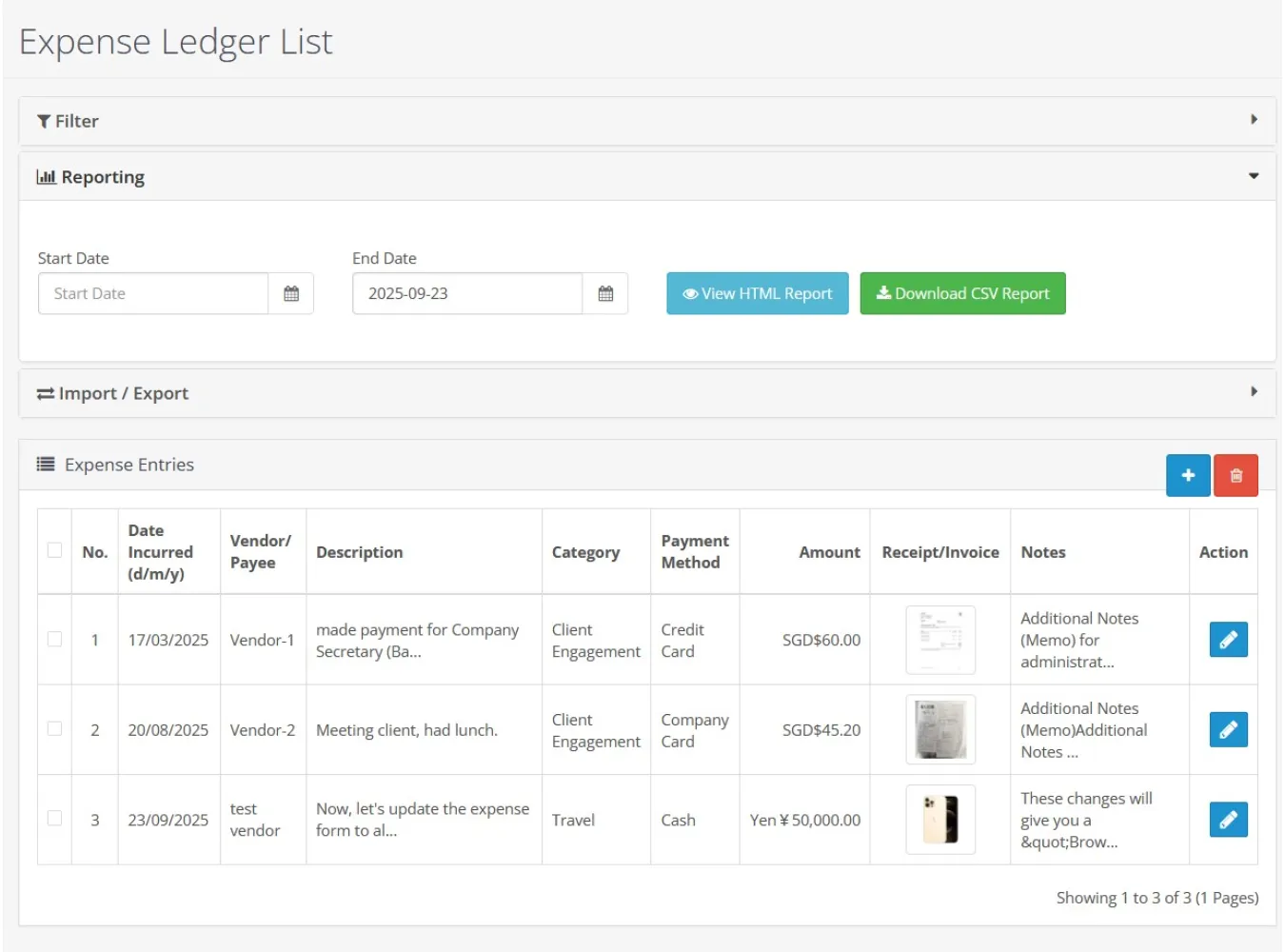
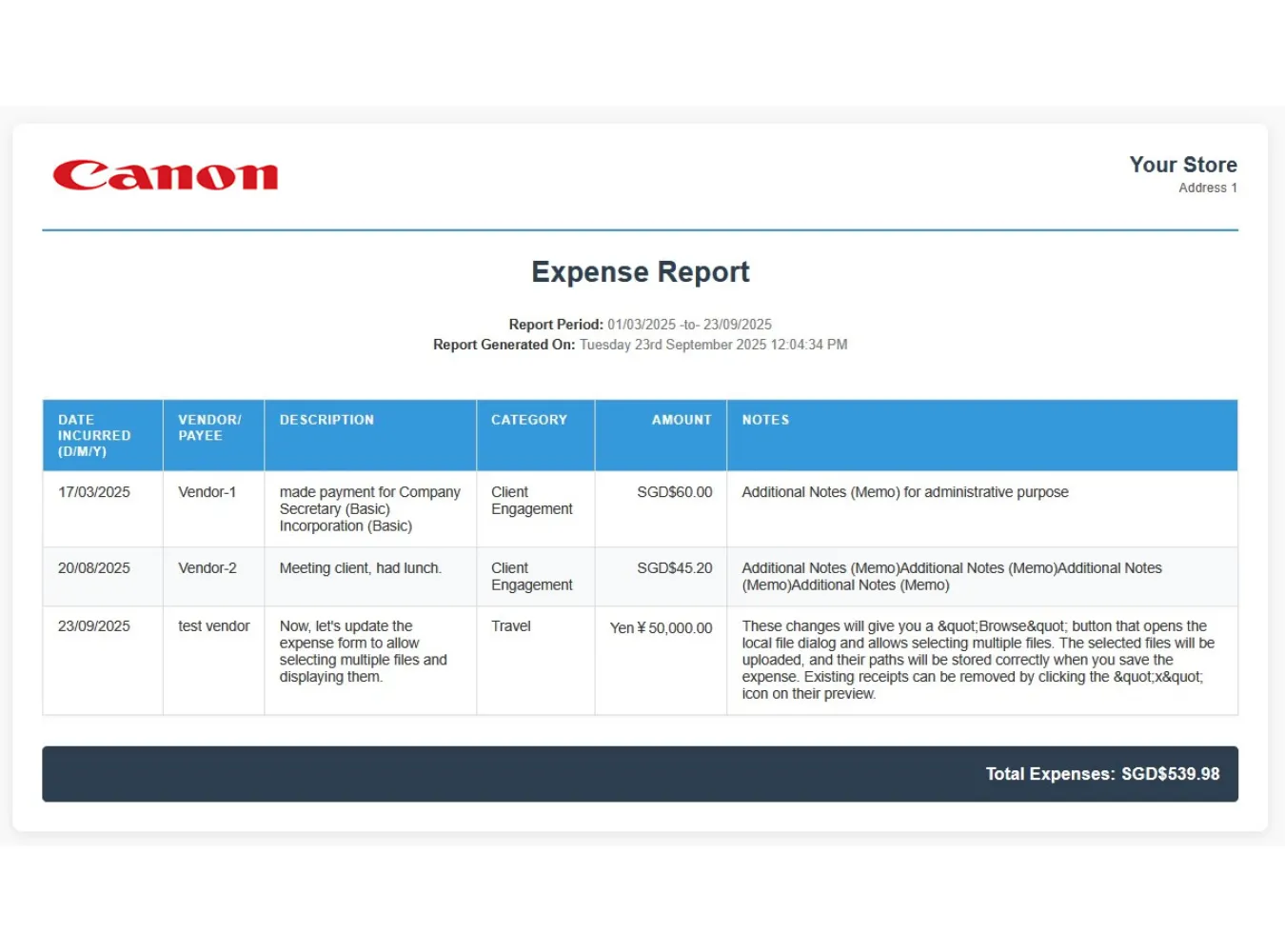
Professional HTML Reports: Generate a clean, printable HTML expense report for any date range, complete with your store's logo and address.
Downloadable CSV Reports: Create a CSV summary report for further analysis in spreadsheet software.
Seamless Integration
Dedicated Admin Menu: Adds a clean, top-level "Expense Ledger" menu to your admin sidebar with direct links to the Expense List, Statistics, and Settings.
Permissions Control: Fully integrated with OpenCart's user group permission system.
Benefits
Centralize Financial Data: Keep all your expense records organized in one place, eliminating the need for external spreadsheets or software.
Improve Financial Visibility: Gain a clear and instant understanding of your expenditures with powerful filters and visual statistics.
Streamline Audits & Tax Prep: Quickly export detailed records and all corresponding receipts, making tax time and financial reviews significantly easier.
Enhance Decision Making: Use data-driven insights from reports and charts to identify spending trends, control costs, and make smarter budget allocations.
Save Time & Increase Efficiency: Speed up data entry with autocomplete, "Save & Stay," and bulk import/export features.
Maintain Perfect Records: Never lose a receipt again. The robust multi-file attachment system ensures all your documentation is securely stored and linked to the correct expense.
Installation
1. Unzip the extension package.
2. Upload the contents of the `upload` directory to the root of your OpenCart installation via FTP or a file manager. No core files will be overwritten.
3. Navigate to **Extensions > Extensions** in your OpenCart admin panel.
4. Select **Modules** from the extension type dropdown menu.
5. Find **Expense Ledger** in the list and click the green **Install** button.
6. Once installed, the extension will automatically set up the necessary database table and add permissions for the main admin user group.
7. A new menu item, **Expense Ledger**, will appear in the main admin sidebar on the left.
Configuration
1. Navigate to **Extensions > Extensions > Modules**.
2. Find **Expense Ledger** and click the blue **Edit** button.
3. On the settings page, you can:
**Enable/Disable** the module.
**Configure Column Display:** Check or uncheck the boxes for columns you wish to see on the main Expense List page.
4. Click the **Save** button.
Uninstallation
1. Navigate to **Extensions > Extensions > Modules**.
2. Find **Expense Ledger** and click the red **Uninstall** button. This will remove the database table and associated event hooks.
Expense Ledger v2.3
Related Products

Grid Banner Pro v3.7
Grid Banner Pro Version 3.7 The Ultimate Visual Layout Builder for OpenCart 3.x.x.x Stop settling fo..
SGD$55.00

Power File Manager v3.4
Normal 0 false false false EN-US JA X-NONE Description Power File Manager is the professional-grade ..
SGD$60.00
Expense Ledger v2.3
Expense Ledger v2.3 for OpenCart 3.x Expense Ledger is a comprehensive and powerful OpenCart ..
SGD$50.00
FlexiDoc Document Manager
Extension Description FlexiDocs is a comprehensive, professional-grade document management system bu..
SGD$70.00 SGD$80.00
Advanced Survey Manager
Normal 0 false false false false EN-US JA X-NONE 1. Description The Advanced Survey Manager is a pow..
SGD$35.00